Roughly 96 of every 100 cold emails get no reply. Hunter's 2025 analysis of 11 million cold emails puts the average reply rate at 4.1%, and senders that benchmark their own campaigns land within a point or two of it.
The reflex is to rewrite the copy. Copy is rarely the first thing broken. A well-written email can't earn a reply if it lands in spam, reaches a contact who left the company last quarter, or breaks the rules on opt-outs badly enough to get the domain throttled. Fixing subject lines before authentication is like repainting a shop with a flooded basement.
So these tips for cold emails follow the order in which problems occur: sending infrastructure, inbox warm-up, contact data, copy, personalisation, follow-up, compliance and measurement. Work through them in that order and the copy tests you run afterwards produce a readable signal, because the delivery layer isn't deleting half the sample.
The sequence also explains why teams plateau. A campaign where most of the list never sees the message looks like a copy problem when it's a domain problem. Get the first three steps right and you stop paying to test messages nobody receives.
1. Authenticate your sending domain with SPF, DKIM and DMARC
Start with the plumbing. Nothing else matters if receiving servers don't trust the envelope.
SPF (Sender Policy Framework) is a DNS record listing the servers allowed to send mail for your domain. DKIM adds a cryptographic signature, verified against a published key, so a receiver can confirm the message wasn't altered in transit. DMARC tells receivers what to do when those checks fail, and sends you reports showing who is sending as your domain.
Provider expectations have hardened. The 2025 benchmark report from Validity describes Gmail, Yahoo and Outlook expecting authenticated sending through SPF and DKIM, aligned domains, DMARC, valid DNS configuration and functioning unsubscribe mechanisms. Yahoo's sender best practices spell out the mechanics, including SPF and DKIM authentication, a List-Unsubscribe header that supports one-click unsubscribe, a visible unsubscribe link in the body and unsubscribe requests honoured within two days.
Authentication is a baseline, not a guarantee. A message can pass every check and still be filtered on complaint history, content or recipient engagement.
Set DMARC to quarantine, then reject
Say a B2B software company sends cold email from a dedicated domain. It publishes a DMARC record at p=quarantine, watches the reports for a month, confirms no unauthorised source is sending as that domain, then moves the policy to p=reject. Report first, enforce second.
- Review DMARC reports before you increase volume: an unexpected sending source is a spoofing problem, not a marketing problem.
- Use a separate sending domain or subdomain: if reputation collapses, your main domain still delivers invoices and support replies.
- Confirm the records: check them with a DNS lookup or a deliverability test before the first campaign, not after the first bounce spike.
A subdomain is the cheapest insurance in outbound. It costs one DNS record and contains the blast radius of a bad week.
The same failure shows up in automated copy, which is part of why AI-drafted sequences miss the inbox even when the writing reads well. Run an email deliverability audit before launch rather than diagnosing placement after.
2. Warm up new inboxes and ramp volume gradually
Mailbox providers judge a sender by its history. A domain created on Tuesday that sends 400 messages on Wednesday looks exactly like a spam operation, because that's what spam operations do.
Warm-up means sending small volumes of real or simulated mail from a new domain or inbox to build a positive sending history, then increasing daily volume in steps. The ramp you need depends on the domain's age, the number of inboxes, the planned volume and the campaign calendar. An operation that needs 60 sends a day from three inboxes needs a different ramp from one that needs 600 across thirty.
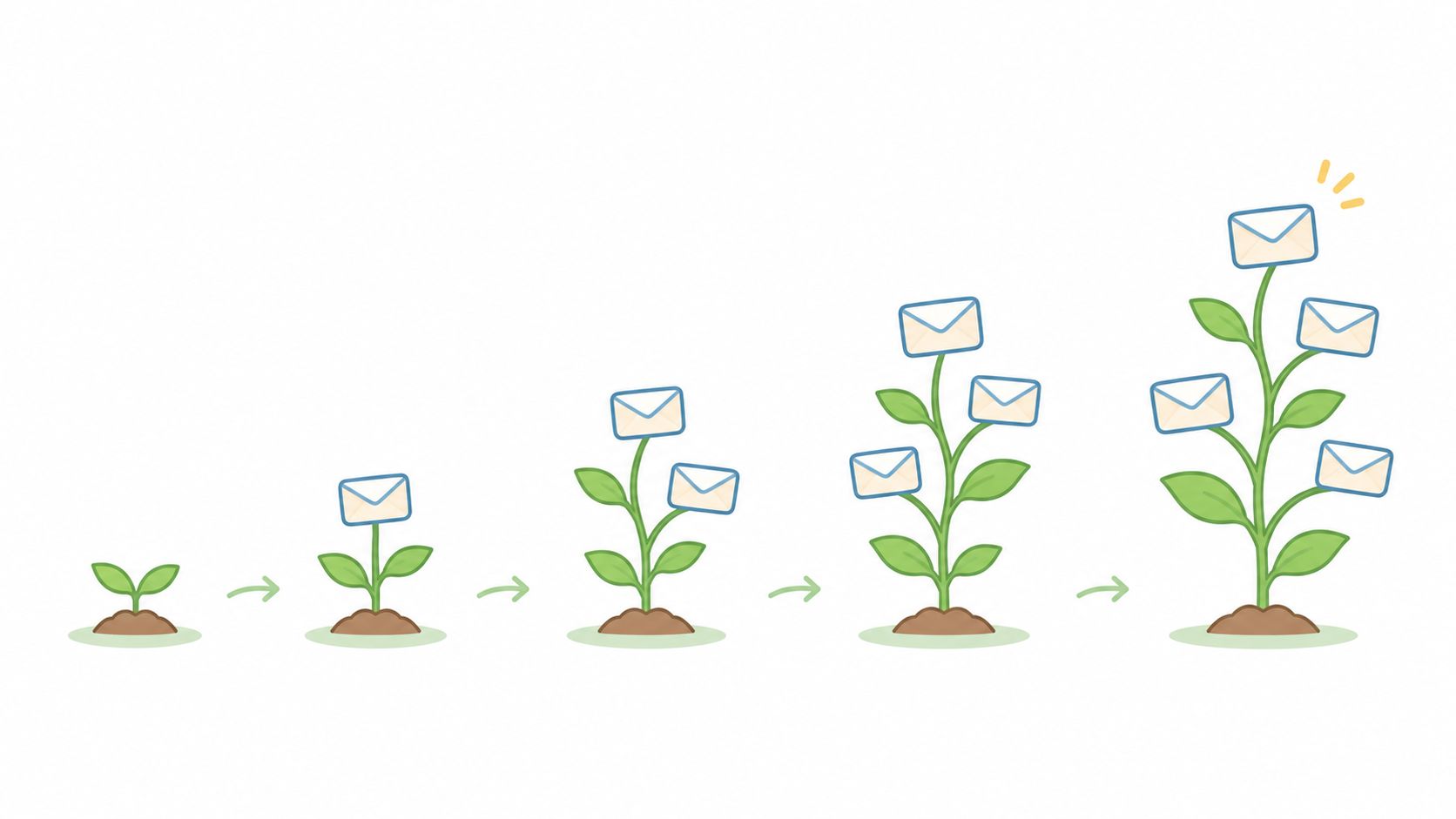
What a sane ramp looks like
One inbox starts at around 10 messages a day. It adds a handful every few days, holds that level for a week, and only moves towards its planned cap once bounce and complaint rates stay low for several weeks. Inboxes sharing a domain don't ramp independently, because the domain carries the reputation. Raise the group's total, not one inbox in isolation.
- Log daily sends, bounces and complaints per inbox: a shared spreadsheet beats memory when something starts drifting.
- Define the ramp before launch: if the timeline assumes full volume in week one, the plan is wrong, not the ramp.
- Reduce volume at the first sign of trouble: a bounce spike or complaint usually arrives before a placement drop.
- Leave headroom: an inbox running at 100% of its cap has no room to absorb a bigger list next month.
Practical rule: when placement falls, halve the volume and fix relevance before adding mailboxes. More inboxes just spread a reputation problem across more domains.
Warm-up is also where impatience costs the most money. A campaign delayed by three weeks of ramping still delivers; a domain burned in week one can take months to recover, if it recovers at all.
3. Verify contact data and keep bounces and complaints low
Bad addresses cost more than wasted sends. A hard bounce (an address that doesn't exist or can't receive mail) and a spam complaint (a recipient pressing report spam) both count against the sending domain, and both are routine to prevent.
Google's guidance is explicit. Gmail's sender guidelines advise keeping the spam rate in Postmaster Tools below 0.3%, with a stricter operating target of below 0.1%, and bulk senders that went above 0.3% from June 2024 lost eligibility for mitigation until the rate stayed below the threshold for seven consecutive days. Complaint monitoring therefore spots trouble earlier than open tracking ever will.
Volume changes the maths. Hunter's study of 31 million emails found sequences sent to 21 to 50 recipients achieved a 6.2% reply rate, against 2.4% for sequences sent to more than 500, a 158% relative difference. Smaller, better-verified lists aren't only safer for reputation. They get answered.
Do the arithmetic before you send
Take a list of 2,000 contacts containing 80 invalid addresses. A first send could bounce at 4%. Verify and remove those 80 first and the same list bounces below 1%, which keeps the domain in the range providers treat as ordinary.
- Verify close to the send date: contact data decays, and a list verified two months ago is a different list.
- Track bounce and complaint rates per campaign and per inbox: a domain-wide average hides the inbox causing the problem.
- Write a stop rule: pause a campaign as the complaint rate approaches 0.1%, don't wait for a warning email.
- Share suppression lists across tools: every unsubscribe, complaint and hard bounce belongs in one place, ideally mirrored into the CRM.
- Record each contact's source alongside its validity: when a segment underperforms, the source tells you whether the list or the message is at fault.
Custom GTM System Builds can connect enrichment, qualification and CRM routing rules so verification and suppression happen without a manual sweep each week.
4. Write short, plain-text emails with one clear ask
Keep the subject short and specific. Omeda's analysis of more than 1.6 billion emails found that subject lines of 20 characters or fewer averaged a 29.9% open rate, compared with 17.3% for lines of 21 to 124 characters. Treat this as a useful benchmark, not a reason to make every subject vague just to save characters.
Cold emails often miss because they sound too focused on the sender. A 2026 survey of decision-makers reported by Mailflo found 65% considered cold emails too sales-focused and 61% cited irrelevance as the main problem. 50.5% preferred LinkedIn outreach, compared with 25% who preferred email. The survey also found that respondents favoured open-ended calls to action over immediate meeting requests.
Give the reader a small, clear next step. A first email can earn a reply without asking for time in a meeting.
An example worth adapting

Subject: question about your onboarding
Hi Sam,
You recently hired two implementation consultants. Do you handle onboarding in-house or with a partner? If useful, I can send over how a similar team cut its setup time.
Would that be useful?
The example is under 100 words, makes one point and asks one question. It has no links, images or attachments. Plain text and minimal formatting keep the message easy to scan and avoid the template-heavy appearance that can undermine a personal note.
- Ask one question: extra questions compete for attention and can leave the recipient unsure which to answer.
- Leave links and attachments out of the first email: they add friction and can give filters more to assess.
- Compare replies, not just opens, when testing subject lines: opens are a noisier signal.
- Read the email aloud: rewrite any line that sounds unlike something you would say to a colleague.
A reply-focused ask should be easy to answer and relevant to the email's point. For practical guidance on writing a call to action that earns a reply, keep the request specific and low effort. Jack Hayward, founder of H2, has generated more than $15M in deals for clients via email. The same principle of giving the reader a clear next step applies to follow-ups, and follow-up timing for guest pitches offers useful timing guidance without turning the next touch into a repeat of the first.
5. Personalise on verifiable, relevant signals rather than surface details
Inserting a first name isn't personalisation. Backlinko and Pitchbox's analysis of 12 million outreach emails found personalised subject lines produced a 30.5% higher response rate than non-personalised ones, and personalised body copy generated 32.7% more replies. The same page cites platform data from Woodpecker showing average reply rates of roughly 17 to 18% for advanced personalisation, against 7 to 9% for basic or absent personalisation.
Those are benchmarks with caveats attached, since list quality, offer relevance and deliverability all shift them. The transferable lesson is narrower. A useful signal is a specific, verifiable fact about the recipient's business or role that connects to what you sell.
Signals justify research, not intent

A job posting, a technology choice or a LinkedIn comment tells you an account is worth investigating. None of them proves a budget exists or a project is live. Treat them as prioritisation, not prophecy.
Say a developer platform company sees that a prospect recently hired a platform engineer and uses a competing managed service. The email references the hiring, asks whether the team is evaluating alternatives, and claims nothing about plans, timelines or budget.
- Define qualifying signals before building the list: record why each account was selected, so the reason survives into the copy.
- Never assert what you can't verify: "you're probably struggling with X" reads as guesswork and often is.
- Review samples every week: personalised emails drift into wrong facts faster than generic ones.
- Keep human review on high-value accounts: automation handles volume, judgement handles the top fifty.
Private GTM Workshops cover signal selection, qualification and message design for teams building this in-house, including where human judgement has to stay in the loop.
6. Build a short follow-up sequence with clear stop rules
A sequence is a set of emails sent over a defined period where each step adds something. Most replies to a cold campaign arrive after the first message, which makes a sequence useful and repetition fatal. The difference is whether step three says anything new.
A four-step shape
Step one asks about the prospect's onboarding process. Step two shares an example from a similar team. Step three offers a one-page resource with no strings attached. Step four closes the loop: is this still relevant, or should the thread be closed? That last email does quiet work, because it gives a busy person an easy way to re-engage or decline.
- Stop on any reply: including an out-of-office with a return date, which tells you exactly when to come back.
- Never follow up after an unsubscribe or complaint: that's how a deliverability problem becomes a legal one.
- Check reply rate by step: if step three never earns an answer, it's filler.
- Space steps by audience, not by formula: a founder buying a small service tolerates a faster cadence than a committee buying software.
Stop rule: four touches is a reasonable default for most B2B offers. If the fifth exists only because the tool allows it, cut it.
Length and spacing should follow the offer and the buyer's cycle. Templates help, but cold email follow-up templates work best as scaffolding for a new angle rather than a script repeated word for word. A sequence that reads as one idea explored from four directions gets replies. A sequence that reads as the same email four times gets marked as spam.
7. Make opt-out easy and follow UK PECR and GDPR rules
Compliance is where cold email gets technical, and where the UK diverges from the US. PECR (the Privacy and Electronic Communications Regulations) governs electronic marketing to individuals and treats corporate subscribers separately.
The ICO's guidance on business-to-business marketing sets out the distinction. A company or limited liability partnership can generally receive B2B marketing emails without prior consent, provided the sender doesn't conceal its identity and gives a valid address or method for opting out. Sole traders and some partnerships count as individual subscribers, so marketing to them needs specific consent unless the soft opt-in applies. That exception requires the contact details to have been collected during a sale or negotiation, the marketing to concern similar products or services, an opt-out offered when the details were collected, and an opt-out in every message.
Data protection sits alongside it. UK GDPR requires a lawful basis for processing personal data in outreach, usually legitimate interests, plus a documented balancing test you can produce if challenged.
The US rules are mechanical and worth building into templates even for UK senders with US prospects. The FTC's CAN-SPAM compliance guide requires accurate From, To, Reply-To and routing information, no deceptive subject lines, identification of the message as an advertisement, a valid physical postal address and a clear opt-out. That opt-out must keep working for at least 30 days after the message is sent, requests must be honoured within 10 business days, and you can't charge a fee, demand more than an email address or require anything beyond a reply or one web page.
Build the footer once
A footer states the sender's full name, company, registered address and a one-click opt-out. Requests land on a suppression list the same working day. Classify each contact as a corporate or individual subscriber before sending, and file the legitimate interests assessment with the campaign record.
Fully Managed Outbound covers list building, verification, sending and reply handling, and contact types are worth agreeing before launch rather than after the first complaint.
8. Measure outcomes and test one variable at a time
Open rates are unreliable. Apple Mail Privacy Protection pre-loads tracking pixels for many recipients, and corporate security scanners can trigger them too. A high open rate may reflect a filter, not a person reading your email.
Track reply rate, positive reply rate, meeting rate and opportunities created. Bounces and complaints help diagnose deliverability. Replies show whether your message resonates. Keep these measures distinct: a booked meeting is more meaningful than an open, while an opportunity indicates whether the conversation could lead to pipeline.
Test design that produces an answer
Consider a campaign with 1,000 sends, 30 replies, 12 positive replies and 5 booked meetings. Those totals do not explain which audience or message drove the result. Break them down by segment to find out whether one group carried the campaign.
A controlled comparison is clearer: split 400 contacts evenly between two subject lines. If version A earns 14 positive replies and version B earns 6, that points towards greater specificity. The sample indicates a direction, not a certainty.
- Write the hypothesis before the test: “A specific subject line will raise positive replies in this segment” is more useful than “let's try something”.
- Change one variable: test the audience, subject line, opening sentence, call to action or timing. Changing several at once makes the result hard to interpret.
- Keep the audience and send time constant: comparing a Tuesday morning send with a Friday afternoon send tests timing as well as copy.
- Keep a shared test log: record the audience, version, result and next step so the team can learn from both successful and unsuccessful tests.
- Judge campaigns by opportunities: replies are an early signal, and opens are diagnostic. The outcome is whether qualified conversations create opportunities.
Tools can help organise segments and message variants, but they do not replace a controlled test. H2 measures success by qualified conversations, booked meetings and the opportunities those meetings create. Opens and raw send volume are diagnostic signals, not the outcome.
How each cold email tip affects deliverability, measurement and timing
| Item | Main purpose | Key metric | When to act |
|---|---|---|---|
| Authenticate your sending domain with SPF, DKIM and DMARC | Verify legitimate sending and protect the domain from spoofing | SPF, DKIM and DMARC configured; review DMARC reports | Before sending campaigns or increasing volume |
| Warm up new inboxes and ramp volume gradually | Build sender reputation without sudden volume spikes | Bounces, replies and spam placement | Before launch and throughout the volume ramp |
| Verify contact data and keep bounces and complaints low | Protect deliverability by removing risky contacts | Spam rate below 0.3%, ideally below 0.1%; monitor bounces | Verify shortly before sending; pause if complaints approach 0.1% |
| Write short, plain-text emails with one clear ask | Make messages easy to understand and respond to | One clear call to action; first email under about 100 words | When drafting or revising outreach |
| Personalise on verifiable, relevant signals rather than surface details | Make outreach relevant and prioritise suitable accounts | Verified, relevant signals tied to qualification rules | When selecting accounts and preparing messages |
| Build a short follow-up sequence with clear stop rules | Reach prospects through useful, varied follow-ups | Often three to five steps; stop on replies, meetings, unsubscribes or bounces | When planning a campaign sequence |
| Make opt-out easy and follow UK PECR and GDPR rules | Support compliant outreach and reduce complaints | Working opt-out and documented lawful basis | Before sending and whenever contact or compliance processes change |
| Measure outcomes and test one variable at a time | Improve targeting and messaging using meaningful results | Reply, positive reply, meeting and opportunity rates | For every campaign; define the test measure and sample size before testing |
Turn These Tips Into a Repeatable Outbound Routine
The order of the work matters: authenticate the domain, warm the inboxes, verify the data, then write. If you start with copy, you may spend time testing subject lines before fixing issues that stop messages from reaching prospects. Deliverability and data quality come first because they determine whether copy gets a fair test.
Build a routine around checks and decisions, not a fixed promise of hours. Review DMARC reports and complaint rates, then pause campaigns that meet their stop rules. Examine replies and objections, group them by audience, and use what prospects say to refine the next round of copy. Keep a test log and change one variable at a time so the result remains useful.
Stopping rules matter as much as launch rules. Set an end point for each sequence, define when a campaign must pause, and make sure suppression lists work across tools. Automate routine controls where possible, while keeping human review for decisions that depend on context.
Put compliance into the campaign setup. Classify contacts, document the basis for contacting them, include a real address and working opt-out, and honour requests promptly. UK PECR and GDPR requirements depend on the type of contact and message, so check that your process fits the audience before sending.
If your team has the time and appetite, it can run outbound in-house. If not, the issue is resourcing. An introductory call can cover your audience, current challenge and where growth is stuck, and H2 also offers a free GTM strategy. H2's Fully Managed Outbound suits B2B companies with a proven offer, capacity for more sales conversations and a need for pipeline without building the function internally. The service covers research, list building, verification, sending infrastructure, copywriting, testing, reply handling and meeting booking.
The eight tips follow the order in which campaign problems arise, from infrastructure and data through messaging, follow-up, compliance and measurement. Their difficulty varies, and the early deliverability and data checks can take more work than they appear to require.
If your cold email is underperforming and the cause is unclear, H2 builds and runs outbound systems covering research, verified lists, authenticated sending infrastructure, copy, testing, reply handling and meeting booking. Prospects can book an intro and explain where growth is stuck, or ask for the free GTM strategy. Visit H2 to learn about its managed outbound programme and custom GTM system builds.
