A healthy delivery rate doesn't prove a healthy email programme. A receiving server can accept every message and still file a large share in spam, so checking bounce rate and moving on misses the commercial problem. An email deliverability audit measures whether messages reach the inbox by provider and sending stream, whether authentication passes, and whether complaints stay low enough to protect future sends.
What a Deliverability Audit Measures and the Thresholds That Matter
A server accepting a message does not confirm it reached the inbox. Measure placement by mailbox provider and sending stream, then compare it with replies and complaints. Authentication and bounce rates help diagnose delivery problems, but they do not replace placement data.
The Google sender guidelines set baseline requirements introduced on 1 February 2024. All senders must use at least SPF or DKIM. Bulk senders sending 5,000 or more messages per day to Gmail accounts must use SPF, DKIM and DMARC. Google recommends keeping user-reported spam rates below 0.1% and requires senders to prevent rates from reaching 0.3% or higher.
Record the Baseline First
Before changing copy, domains or volume, calculate each rate by provider and sending stream. Spam rate is user-reported spam messages divided by messages delivered to that provider. Hard-bounce rate is permanent delivery failures divided by messages sent.
For example, 4,000 messages delivered to Gmail and 3 spam reports produce a 0.075% spam rate, below the 0.1% reference. An account-wide average can conceal a higher rate at one provider. Keep provider-level results separate, and compare them with inbox placement and replies: accepted mail can still miss the inbox, while engagement signals may vary across providers.
| Measure | Benchmark | Source |
|---|---|---|
| Gmail spam rate | Keep below 0.1%; 0.3% or higher risks losing delivery mitigation | Google Postmaster Tools guidance |
| Yahoo spam rate for bulk senders | Keep below 0.3% | Yahoo sender requirements |
| Global inbox placement | 87.2% in a 2025 dataset | Sender.net email marketing statistics |
Treat these figures as reference points, not predictions for an individual account. The inbox-placement figure and provider spam thresholds describe different measures, so do not use one as a substitute for the other. Review results by provider and sending stream, then connect placement changes to replies and complaints before deciding what to fix.
Run the audit as a recurring control: check DNS and authentication, sending infrastructure, list hygiene, inbox placement and engagement, then remediation and monitoring. This sequence keeps technical checks distinct from recipient and performance signals. For the broader commercial context, see a revenue-first email guide for DTC brands; B2B teams still need their own provider-level baseline.
How to Check DNS, Authentication and Unsubscribe Setup
Accepted delivery does not confirm inbox placement. Start with DNS and authentication, then test actual messages and review results by mailbox provider and sending stream. That sequence helps separate identity failures from recipient or placement problems.
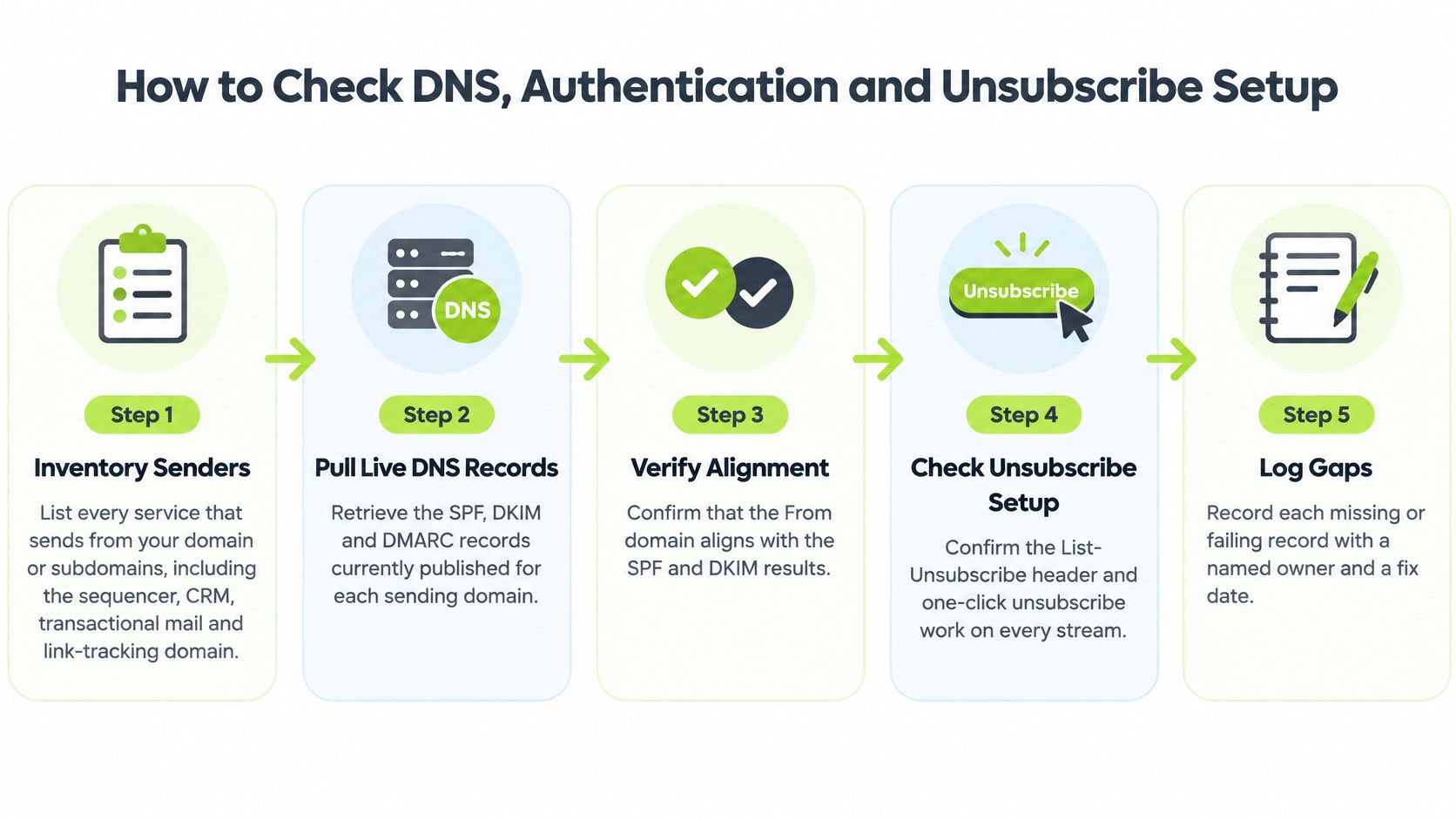
Run the Checks in Order
- List every sender. Inventory each service that sends from the domain or its subdomains, including the sequencer, CRM, transactional mail platform and link-tracking domain.
- Pull live DNS records. Retrieve the records currently published for each domain and subdomain. Old setup instructions may not reflect what is live.
- Check each record. Review the table one row at a time and log the result for each sending service.
- Inspect a real message. Send a test to Gmail and Outlook.com, then open the full headers. Confirm SPF, DKIM and DMARC results, and check whether the visible From domain aligns.
- Review stream-wide data. Check the Authentication dashboard in Google Postmaster Tools. A passing test message cannot show whether authentication fails across the sending stream.
- Test unsubscribe end to end. Confirm that bulk marketing mail carries a one-click List-Unsubscribe header. Submit an opt-out and verify that the contact is suppressed in the sending tool.
| Record or check | Pass condition | Common failure |
|---|---|---|
| SPF | One TXT record listing every sending service, under the 10 DNS lookup limit | Multiple SPF records, or a record that exceeds 10 lookups |
| DKIM | Valid signature for each platform, with a 2048-bit key where possible | Signature fails, or the DNS selector record is missing for a platform |
| DMARC | Policy published at _dmarc with aggregate reports routed to a monitored inbox | No record, or p=none left in place indefinitely |
| Alignment | Visible From domain matches the domain authenticated by SPF or DKIM | A third-party platform signs with its own domain and nothing aligns |
| PTR (reverse DNS) | Each dedicated sending IP resolves to a hostname that resolves back to it | Missing PTR record on a dedicated IP |
| One-click unsubscribe | List-Unsubscribe header on bulk marketing mail, honoured promptly | Unsubscribe link in the message body only |
Google's bulk sender guidance covers Google requirements. Yahoo applies its own bulk sender requirements alongside Google's, including SPF or DKIM authentication, one-click unsubscribe support and spam rates kept below 0.3%. Confirm the current requirements in Yahoo's sender documentation.
Diagnostic rule: An authentication failure points to a DNS or identity problem. A high spam rate points to recipient quality or targeting. Changing authentication will not fix a recipient problem, and changing targeting will not repair a broken record.
A footer link alone does not satisfy the one-click requirement for bulk senders. Check the message header, complete the unsubscribe flow and confirm suppression before sending the next batch. Then compare mailbox-provider placement with replies and complaints, rather than treating server acceptance as proof that a message reached the inbox.
How to Review Sending Infrastructure and Warm-Up
Infrastructure problems often stay hidden because each tool shows only its own stream. A single sending map makes ownership and risk visible.
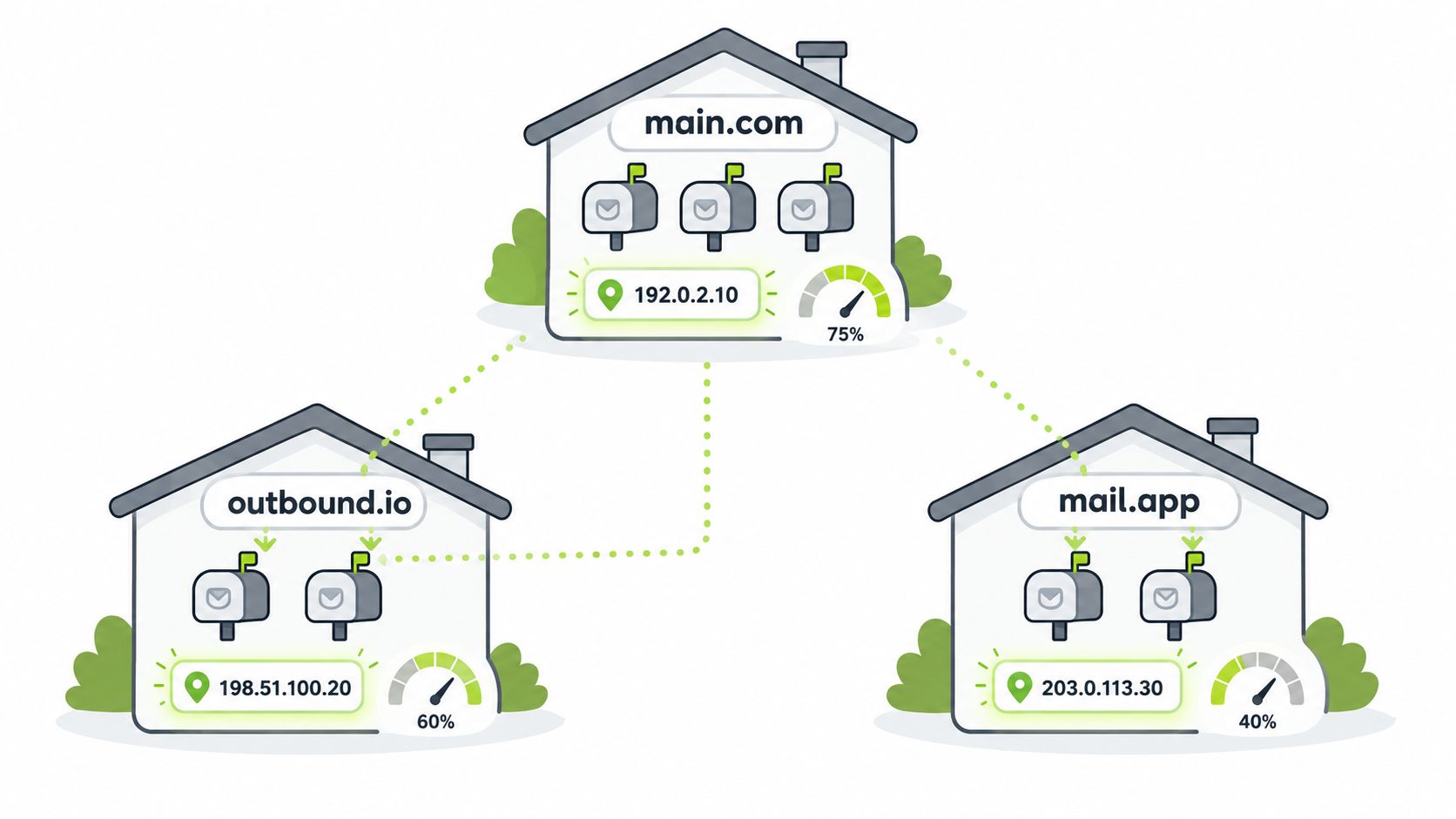
Build the Sending Map
Record every sending domain, mailbox, IP address and daily volume in one sheet. Add domain age, IP type, stream purpose and a named owner for each row. That sheet becomes the audit's infrastructure baseline.
Check separation next. Cold outbound should run on separate domains from the main company domain and from transactional mail, so a complaint problem on one stream doesn't damage password resets, invoices or other operational email. Where subdomains are used, confirm each one has its own authentication and monitoring rather than assuming the root domain setup covers it.
Confirm whether IP addresses are shared or dedicated. On a shared pool, ask who controls reputation, how abusive senders are removed, and how quickly the provider responds to a blocklisting. On a dedicated IP, the account carries the full reputation history, which gives control but removes the cushion of other senders' volume.
Warm Up Without Spikes
A newly registered domain has no sending reputation, so volume should start low and rise over several weeks. Begin with the most engaged contacts, keep daily volume predictable, and pause the ramp if complaints or bounces rise.
As a hypothetical example, not a rule, a new mailbox sends 10 to 20 emails a day in week one to engaged contacts, increases gradually while complaints stay low, and holds volume once bounce and complaint rates settle. A sudden jump after a quiet period carries more risk than a modest, steady increase.
Most B2B programmes sit below Google's bulk-sender volume level, but the same complaint discipline is sound practice at any size. Providers judge patterns, not intentions, and a small sender can still damage a domain with a poorly targeted batch.
Finish with a completed sending map that records domain, mailbox, IP type, daily volume, domain age and owner for each stream. Any stream without an owner or a clear purpose should be paused until both are assigned.
How to Clean and Verify Your Contact List
List quality decides whether sound infrastructure gets a fair test. Start with the last send batch and split bounces before judging any verification tool.
Separate Hard and Soft Bounces
- Hard bounces: Permanent failures, such as an address that doesn't exist. Suppress them immediately and never retry.
- Soft bounces: Temporary failures, such as a full mailbox or server timeout. Retry a limited number of times, then suppress if delivery keeps failing.
- Count by segment: Record both types by provider and list source, not as one blended account figure.
Complaint rate matters more than raw delivery at this stage. The Google Postmaster Tools spam rate guidance recommends keeping spam rates below 0.1% and avoiding 0.3% or higher, above which delivery support or mitigation may be unavailable and bulk senders may need seven consecutive days below that threshold before becoming eligible for mitigation.
Act on Each Verification Status
Verification normally returns valid, risky or catch-all, invalid, or unknown. Invalid contacts should be removed before sending. Unknown contacts need another check or exclusion from higher-risk campaigns. Valid contacts still need relevance and consent checks, because a deliverable address isn't automatically a suitable recipient.
Catch-all domains accept any address, so a valid result can't be guaranteed. Mail those contacts only in the most relevant segment, keep volume controlled, and watch complaints closely. Verification is also a snapshot, so contacts in long sequences should be re-verified before later steps. The detailed workflow in this guide to verifying email addresses helps teams set those checks consistently.
Stop mailing contacts who never engage across a full sequence. Repeated sends to silent addresses add risk without adding pipeline, and teams that build a more engaged subscriber list give later campaigns a cleaner base.
In a hypothetical comparison, a purchased list of 2,000 contacts returns 90 hard bounces, or 4.5%, while 1,500 CRM contacts return 15, or 1%. The correct response is to trace and quarantine the purchased source before touching copy or infrastructure. Investigate by provider, mailbox, list source and message variant so the fix lands on the segment causing the damage.
How to Test Inbox Placement and Read Engagement Signals
Delivery acceptance is the weakest success measure in the audit. Placement testing shows where accepted messages really land.
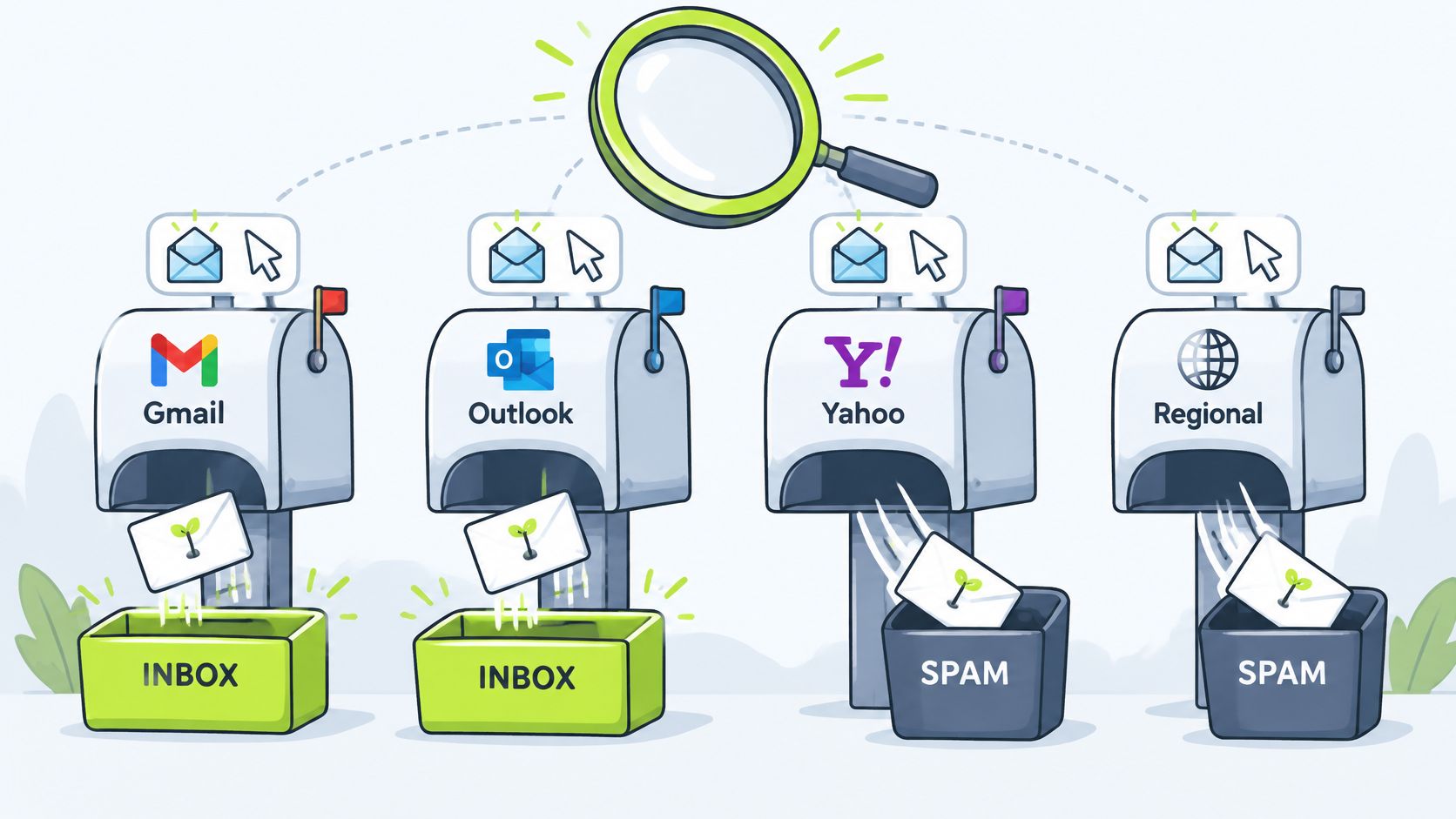
Run a Seed-List Test
Send the same message, from the same stream and template, to test inboxes at Gmail, Outlook, Yahoo and any regional provider the audience uses. Record for each seed whether the message landed in the inbox, went to spam or went missing. Test each sending domain and template separately, because one account-wide result hides differences that matter commercially.
The scale of the gap is easy to underestimate. The Sender.net email marketing statistics report global inbox placement of 87.2% in a 2025 benchmark, implying roughly one in eight messages did not reach the inbox, while its prior edition reported spam placement of 6.1% and missing mail of 9.1%.
Seed results are a small sample, so cross-check them with real data by provider: replies, meetings, complaints and unsubscribes. A seed test that disagrees with live results needs investigation, not automatic trust in either source.
In a hypothetical test, a template lands in the Outlook inbox in 5 of 5 seeds but in Gmail spam in 2 of 5, and Gmail replies run at half the Outlook rate over the same sends. The first action is to check Gmail authentication and Postmaster complaint data before changing copy.
Read Engagement With Care
- Opens: Treat them as directional only, because Apple Mail privacy features, prefetching and bot activity inflate them. This guide to cold email open rates explains why clicks and replies deserve more weight.
- Low complaints: Don't assume satisfaction. Recipients may ignore mail rather than value it.
- Complaint spike in one segment: Treat targeting or list source as the likely cause before blaming infrastructure.
- Replies: Weight positive and negative replies separately, because both carry information about fit.
Placement only matters if it connects to replies and qualified conversations. Server acceptance on its own doesn't create pipeline.
For B2B senders, a small number of high-value messages can matter more than campaign averages. Judge placement by provider, stream and downstream conversation quality, then decide whether the next fix belongs in targeting, content or infrastructure.
How to Fix Problems and Keep the Audit Running
Remediation works when each breached signal maps to one likely cause and one first action. Changing everything at once destroys the evidence needed to know what worked.
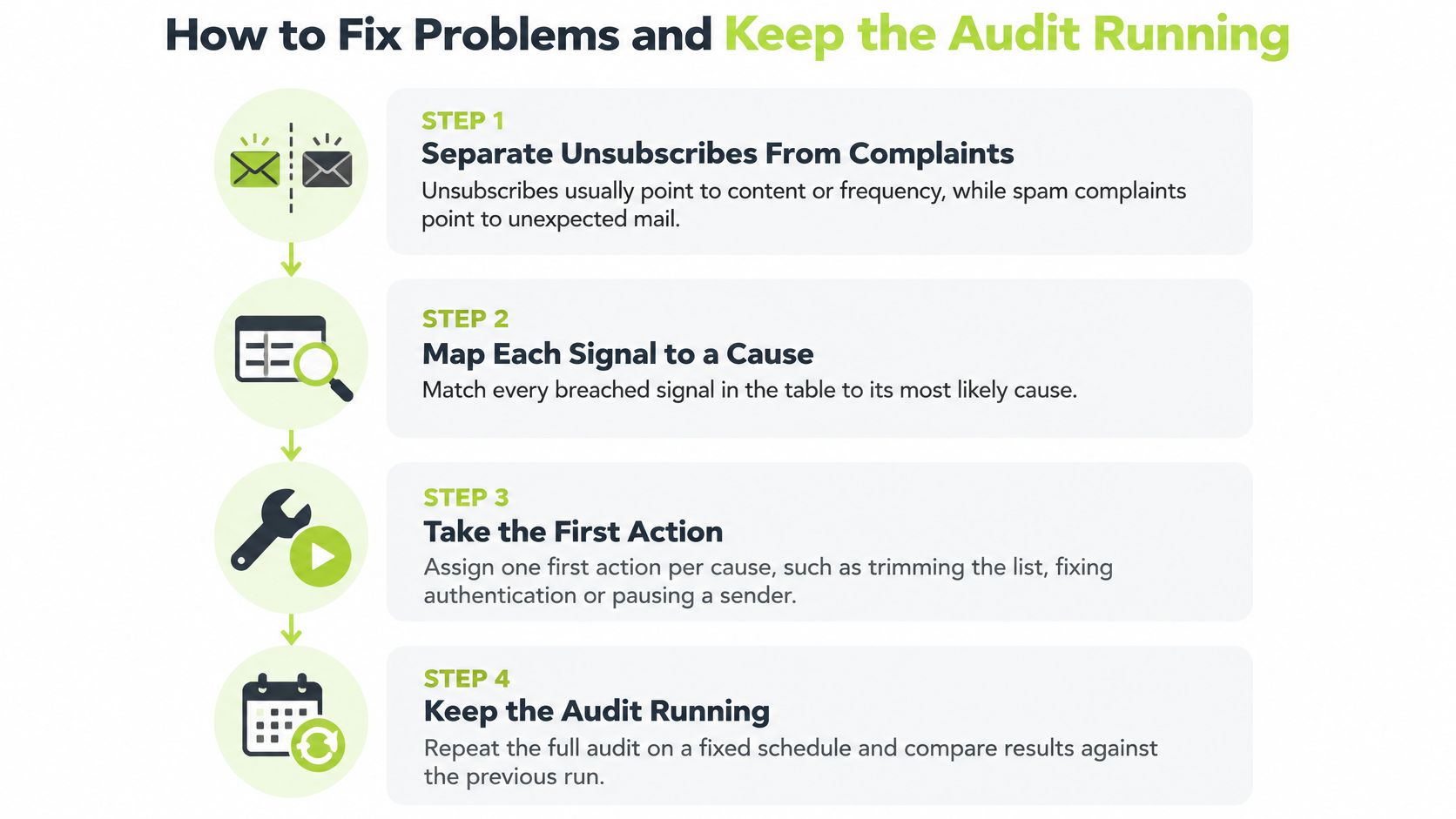
| Signal | Likely cause | First action | Recheck |
|---|---|---|---|
| Spam rate above 0.1% but below 0.3% | Weak consent, broad targeting or an old list source | Remove the riskiest segment and tighten targeting | Next sending batch |
| Spam rate at 0.3% or higher | Serious relevance or list problem | Pause the affected stream until the rate falls below 0.3% | Seven consecutive days below 0.3% |
| Unsubscribes rising, complaints flat | Messages too frequent or poorly matched to the audience | Reduce cadence and confirm the opt-out works | Next sending batch |
| Hard bounces rising | Stale, scraped or poorly verified contacts | Suppress affected contacts and review the list source | Next sending batch |
| Soft bounces repeating for one contact | Full mailbox or temporary server issue | Stop after the retry limit and suppress | Weekly review |
| Authentication failures in Postmaster Tools | DNS record changed or missing a sending service | Fix the record, then re-run the header test | After every DNS change |
| Placement drops at one provider only | Reputation issue at that provider | Split volume across domains and re-run the seed test | Next seed test |
Separate Unsubscribes From Complaints
Both signals show a message and audience mismatch, but they don't call for the same response. An unsubscribe usually calls for lower cadence or a narrower offer. A spam complaint calls for tighter targeting, a review of the list source and immediate suppression of the complainer.
Monitoring discipline is the weak point for many senders. The Mailgun State of Email 2024 report found that only 32% of senders actively monitor spam complaints, while open and click rates remained the most-used measures at 57.4%.
Low-volume B2B senders need careful interpretation. In hypothetical arithmetic, one complaint from 1,000 delivered messages equals 0.1%, and a second complaint would double the rate. Use rolling windows and a minimum volume before escalating, and trace each complaint to its segment, template and provider. This breakdown of common email deliverability issues helps distinguish a one-off complaint from a pattern.
Reintroduce volume only after complaint and bounce rates stabilise. Check Google Postmaster Tools weekly for spam rate and authentication, watch the Yahoo Complaint Feedback Loop, re-run the full audit monthly, and repeat the relevant checks after any DNS change, template change or new list source.
Decide Whether to Run the Audit In House or Outsource It
No single tool answers every audit question. Choose tools based on which mailbox providers they cover, how often their data refreshes, whether they analyse real traffic or a sample, and how much expertise is needed to interpret the results.
| Tool type | Best for | Main limitation |
|---|---|---|
| Google Postmaster Tools | Gmail spam rate, authentication, reputation and delivery errors | Gmail traffic only; needs a verified domain |
| Microsoft SNDS | Outlook.com sender IP reputation and complaint data | Covers only the IP addresses you send from |
| DMARC report analyser | Reading aggregate DMARC reports by sending source | Needs reporting addresses set in the DMARC record |
| DNS lookup checker | Confirming SPF, DKIM, DMARC and PTR records | Shows a snapshot; recheck after every change |
| Seed-list placement testing | Inbox, spam or missing results by provider | Small sample; not identical to real recipients |
| Email verification service | Validity status before a send | Catch-all results remain uncertain |
| Sending platform analytics | Bounces, complaints and unsubscribes by campaign | Often blends providers; split results manually |
The Google Postmaster Tools documentation describes separate dashboards for spam rate, authentication, reputation and delivery errors on verified domains. These signals cover Gmail traffic only. Pair them with Microsoft SNDS for Outlook.com IP data, a DMARC analyser for sending sources, and seed testing for placement. Server acceptance does not confirm inbox placement, so compare placement by provider and sending stream, then relate it to replies and complaints.
Match Ownership to Complexity
An in-house audit can work when one person owns it, the programme uses one or two domains with a modest list, and checks fit into a few hours a month. That owner needs authority to pause a stream, suppress a source and request DNS changes without waiting for a campaign review. Otherwise, findings can sit unresolved while sending continues.
Outside help may make sense when many domains or mailboxes are involved, fixes fail to hold after repeated DNS work, or the team lacks time to act on complaint data. Cost is only part of the decision. Monitoring without a clear owner can lead to wasted sends and weaker placement.
H2's Fully Managed Outbound service covers sending infrastructure, deliverability and contact verification as part of a managed programme. When comparing providers, ask who owns Postmaster monitoring, how complaints trigger suppression, and how placement is reported by provider. Accepted delivery alone is not evidence that messages reach the inbox.
A short introductory call can clarify ownership. Review the sending map, complaint data and placement evidence, then decide whether the audit can stay in house or needs managed support.
If deliverability checks keep slipping because nobody owns infrastructure, list verification and complaint monitoring, H2 can run those controls as part of a fully managed outbound programme built around qualified sales conversations. Book a 15-minute introductory call to discuss the current sending setup, target audience and whether managed outbound or a custom system build is the better fit.
