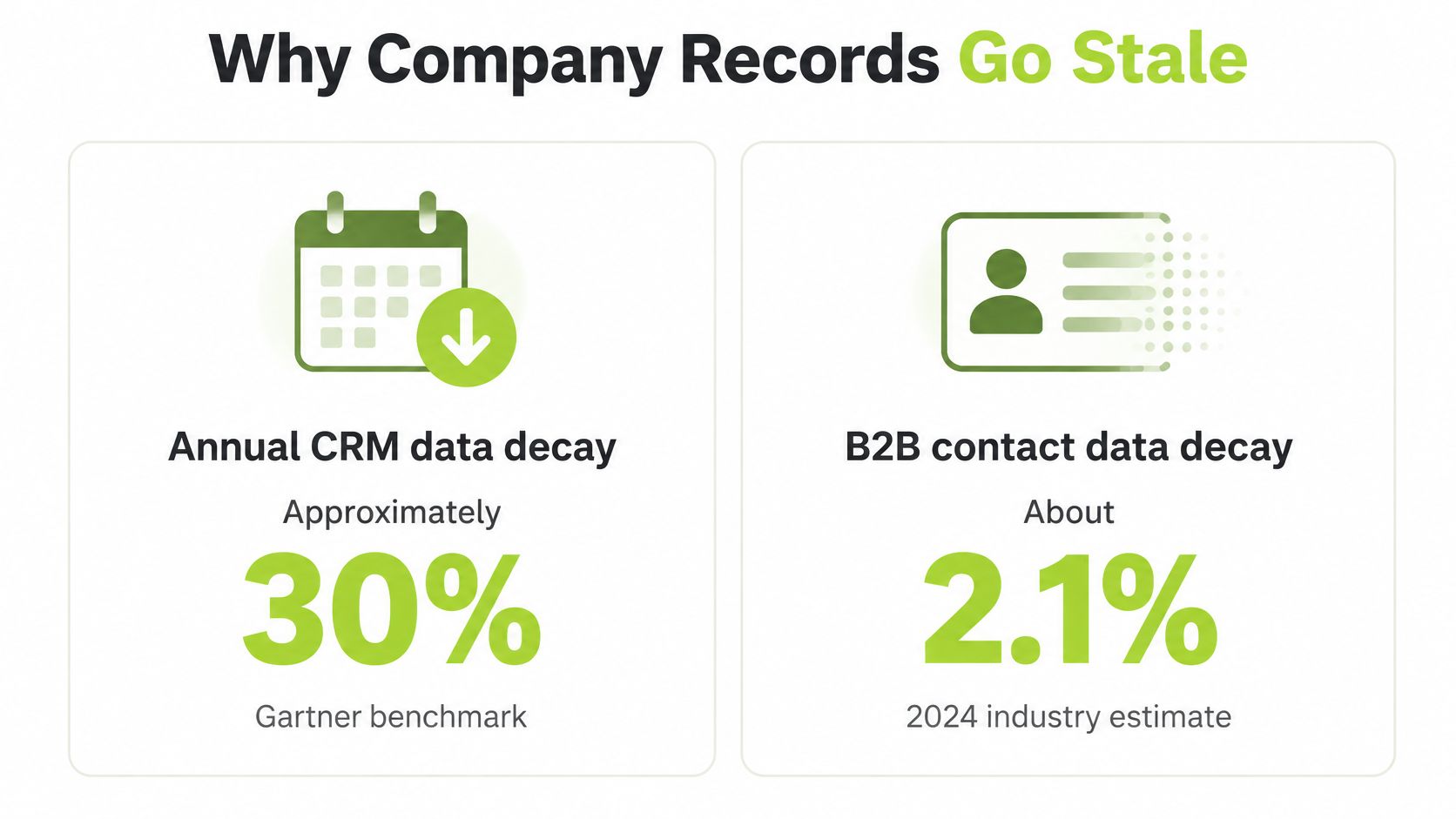
Company data enrichment adds and corrects company and contact fields from trusted sources so that each record is accurate enough for a sales or marketing decision. It runs as a repeatable loop rather than a one-off clean-up, because CRM data decays by roughly 30% a year and B2B contact data decays by about 2.1% a month.
Teams often meet the problem at an awkward moment. A list was built eighteen months ago, the campaigns that used it worked, and nobody has touched it since. Now the CRM holds 4,000 companies, a third of the job titles look wrong, three records share the same trading name, and the sales team has gone back to researching accounts by hand.
That gap between the data you have and the decision you need to make is what enrichment exists to close. What follows walks through the loop step by step, names where each field comes from, and treats every value as something with a source, a check date, an owner and a reason for being there.
What Company Data Enrichment Means
Think about the last time a printed street map sent you the wrong way. The main roads were right. A junction had closed, a one-way system appeared, and the page you trusted left you three streets from where you needed to be. Company records behave the same way. Nothing about the record looks broken. It describes a company as it was.
Company data enrichment is the maintenance that keeps the map usable. It adds and corrects information about companies and the people who work at them, drawn from sources you can name, so that each record is complete and current enough for a decision you're about to make.
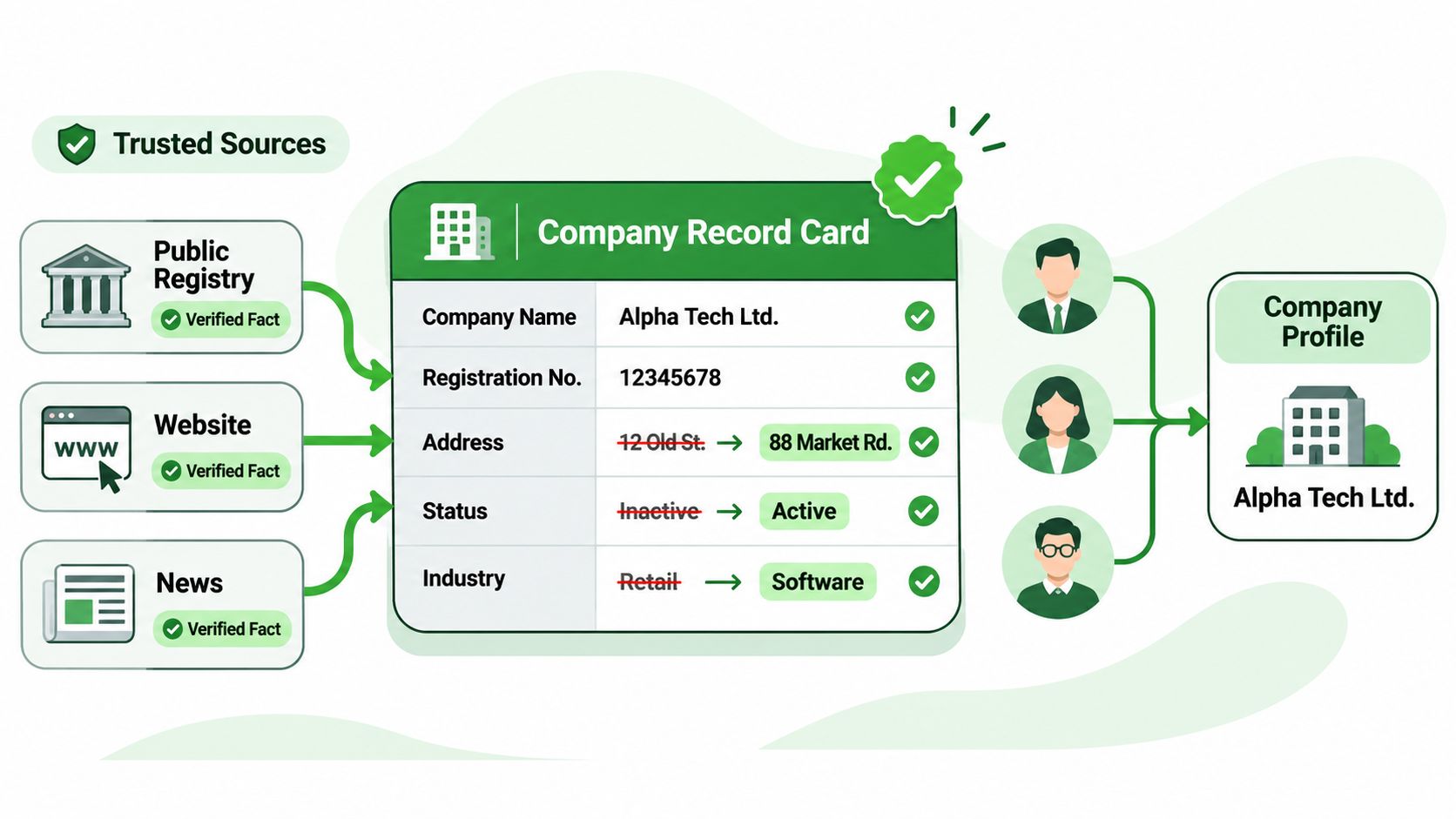
The loop itself is short enough to hold in your head.
- Start with a partial record. Usually a company name, a website domain or a work email address from a form, an event list or a CRM export.
- Match it to the right company. Not a company with a similar name, and not its parent unless that's the account you sell to.
- Add the missing fields. Employee count, sector, location, technology in use, hiring activity, and for a person, their role, work email and employment status.
- Verify and write back. Check the new values, then store them with their source and the date they were checked.
Two halves of that loop get confused constantly. Account enrichment fills in facts about a company. Contact enrichment fills in facts about a person inside it. They use different sources, they decay at different speeds, and a company record can be perfectly accurate while every contact on it has left.
The limit worth stating plainly: enrichment produces evidence about a company. It never produces proof that the company wants to buy anything.
Data Fields and the Decisions They Support
Enrichment fields group into five families, and each one earns its place by changing a decision. Read the table as a map of the territory rather than a shopping list.
| Field group | Example fields | Decision it supports |
|---|---|---|
| Firmographic | Employee count, revenue range, sector, headquarters | Segmenting the market and setting size limits |
| Technographic | CRM, cloud platform, analytics tools | Finding companies that can use your product |
| Hiring and growth signals | Open roles, role seniority, funding round, new leadership | Judging capacity and timing, not proving intent |
| Corporate structure | Legal entity, parent company, subsidiaries | Avoiding duplicate outreach and misattributed data |
| Contact details | Job title, work email, employment status | Choosing who to contact and whether the address is valid |
Firmographic data covers the company's own shape: name, primary domain, employee count, revenue range, industry, headquarters and legal entity type. Technographic data identifies the tools in place, from CRM and marketing automation to cloud infrastructure and analytics platforms, as this explanation of B2B contact database enrichment sets out.
Start From the Decision, Then Choose the Field
A qualification rule that filters on employee count needs a reliable employee count. A rule that sorts accounts by sector needs a sector value that exists for most of the list. Working backwards from the decision tells you which fields matter and, just as usefully, which ones don't.
Every field you maintain costs something: a credit, a lookup, a refresh job, a line in the CRM layout that a rep scrolls past. A field that drives no decision is a cost with no return. Plenty of enrichment programmes collapse under the weight of sixty populated fields and one unresolved question about who to call.
Where the Values Are Estimates
Treat every field as a claim with a confidence level attached.
- Revenue ranges are estimates. Providers model them from filings, headcount and industry patterns, and the band can be off by a wide margin.
- Technology detection lags reality. A site scan can miss a platform that sits behind a login, and can keep flagging one that was replaced last quarter.
- A job posting shows hiring activity. It doesn't show budget, approval or a project that's ready to buy.
The test for any field is short: which decision does this value change, and how fast does it go out of date?
Why Company Records Go Stale
A clean list does not stay clean. That is the assumption worth challenging first, because it is the one that wrecks campaigns. Data deteriorates whether or not anyone touches it.
A roundup of CRM data quality statistics collects Gartner's benchmark of approximately 30% annual CRM data decay and a separate 2024 industry estimate of about 2.1% per month, or roughly 22.5% a year once compounded. The monthly figure is useful as a planning estimate, but it should sit in the model as an estimate, not as a settled law.
The causes are ordinary, which is why teams under-weight them.
- People move. The buyer who replied in March can be at a different company by September, while the old address still looks usable until it bounces.
- Tools change. A migration to a new warehouse or engagement platform rarely gets announced to your CRM.
- Sites get rebuilt. Domains redirect, product pages disappear and detection scripts stop seeing the stack.
- Companies merge, rename or close. The legal entity behind an account can stop matching the record that used to win deals.
- Buying responsibility shifts. A budget moves from engineering to finance and the account looks cold when it is still active.
Surveys of data quality consistently put incomplete and outdated records among the most common errors, with duplicates close behind. Read them as direction rather than census: they describe problems reported by surveyed organisations, and the practical lesson is that missing, old and repeated values all need different handling.
Each stale value breaks a specific decision. A missing employee band stops a qualification rule from running. An old role produces bounced email and an opener aimed at the wrong person. A duplicate account inflates coverage and makes pipeline reports disagree with finance.
This is why enrichment works as a maintained pipeline instead of a one-off export. For each field, name the decision it feeds, the source trusted for it, the last verification date, the owner and the event that forces a refresh. Job change, domain redirect, new funding, merger announcement and inactivity past a set period are all refresh triggers.
The operating consequence: a list exported once is an asset that loses value every month it sits still. Refreshing it is a schedule, owned like any other revenue workflow.
The engineering side of running those refreshes reliably, from scheduled jobs to write-back logic, is covered in H2's guide to data engineering best practices.
Choosing Sources and Using Waterfall Enrichment
Six source types cover most enrichment needs. The trick is matching the field to the source that's authoritative for it, rather than buying one provider and hoping it does everything.
| Source type | Main strength | Main limit | Best used for |
|---|---|---|---|
| Company websites and public registers | Authoritative legal name, domain and registration details | Thin on technology, headcount and contacts | Confirming identity and corporate structure |
| Job postings | Current hiring activity and role titles | Shows hiring, not budget or intent | Timing and capacity signals |
| Technology detection | Shows tools in use on a company site | Can lag the real stack by months | Technographic filters |
| Commercial data providers | Broad coverage of firmographics and contacts | Accuracy varies by market and region; cost per record | Filling gaps at scale |
| Contact verification tools | Checks whether an address is deliverable | Says nothing about role or relevance | Suppressing invalid addresses before sending |
| First-party data | Your own CRM, product usage and support history | Covers only existing relationships | Scoring known accounts and expansion |
What Waterfall Enrichment Trades Away
Waterfall enrichment means querying providers in sequence and keeping the best verified result for each field, rather than accepting whatever the first source returns. Coverage rises sharply. So does the risk of two sources disagreeing about the same company.
A guide to CRM data quality metrics published by Databar reports match rates of 80% to 90% for multi-source waterfall enrichment, against 40% to 50% from a single provider. Those are vendor-reported benchmarks rather than independent results, so use them to set expectations, not to compare contracts.
The control that keeps a waterfall honest is field-level precedence. Decide in advance which source wins for employee count, which wins for technology, and what happens when neither has a value. Store the source name and a timestamp on every value, and verify email deliverability with a separate tool rather than trusting a provider's own flag.
For teams that want the sequencing handled without writing code, automating lead enrichment without code shows where the triggers sit in a typical workflow.
How to Compare Sources Before You Sign
Score candidates against these criteria, in this order.
- Coverage in your market. Ask for match rates on a sample of your own list, not a global figure.
- Freshness. Find out how often each field is re-verified and when the underlying record was last updated.
- Licence and data-use terms. Check what you're permitted to store, use for outreach and keep after a contract ends.
- Cost per usable record. Divide spend by records that were complete enough to act on.
- Transparency. Insist on seeing which source produced each value.
Run a labelled sample of a few hundred accounts through two or three candidates before committing. A provider that wins on volume can still lose on the ten fields your qualification rules depend on.
Matching Records to the Same Company
Before any field gets appended, something has to decide that two records describe one company. This is entity resolution, and it's where most enrichment fails.
Consider a hypothetical: Acme Payments Ltd trades on its own domain, files its own accounts, and employs 40 people. Its parent, Acme Group, employs 900. If a provider attaches the group's headcount to the subsidiary record, your qualification rule suddenly treats a 40-person business as a 900-person enterprise. The same error runs in reverse during deduplication, when a parent and subsidiary get merged because the names look similar.
A Matching Workflow in Five Steps
- Standardise identifiers first. Normalise company names, strip legal suffixes into a separate field, lowercase domains, and store registration numbers where you have them.
- Apply exact rules before anything clever. Same domain plus same registration number is a match. Same domain plus same city is usually a match.
- Use probabilistic matching for the rest. Name, location and industry in combination resolve the ambiguous cases that exact rules miss.
- Store a confidence score and the evidence. Not just "matched", but which fields agreed and which source supplied them.
- Send low-confidence matches to a person. A queue of fifty ambiguous records takes an hour; a wrong merge takes months to unpick.
A company-matching study published on arXiv reports a system using name, location and industry reaching approximately 91% recall, against 73% for baseline methods, and matching about 30% more records than those baselines. That's a research benchmark on the study's own evaluation data, not a guarantee for any tool you buy.
| Match outcome | Example | Effect on outreach | Control |
|---|---|---|---|
| True match | Same domain and same registration number | Record is enriched and used correctly | Accept automatically at high confidence |
| False positive | Subsidiary data attached to the parent | Wrong headcount or technology drives the message | Review low-confidence matches; never auto-merge parent and subsidiary |
| False negative | Account stored under a trading name is missed | Good prospect is excluded from the list | Test matching on a labelled sample of your market |
| Ambiguous | Two different companies share a name | Enrichment is unclear and may be misused | Hold for manual review with the evidence stored |
Registration numbers do a lot of work here, because they're issued rather than inferred. Where an account holds a federal award, its Unique Entity Identifier functions as exactly that kind of key, and UEI basics for small business bidders explains what the identifier is and where it appears.
Judge a matching process by whether records end up correctly matched, current and usable. Fill rate tells you how many boxes are full, not whether the right company is behind them.
Turning Enriched Fields Into Qualification Rules
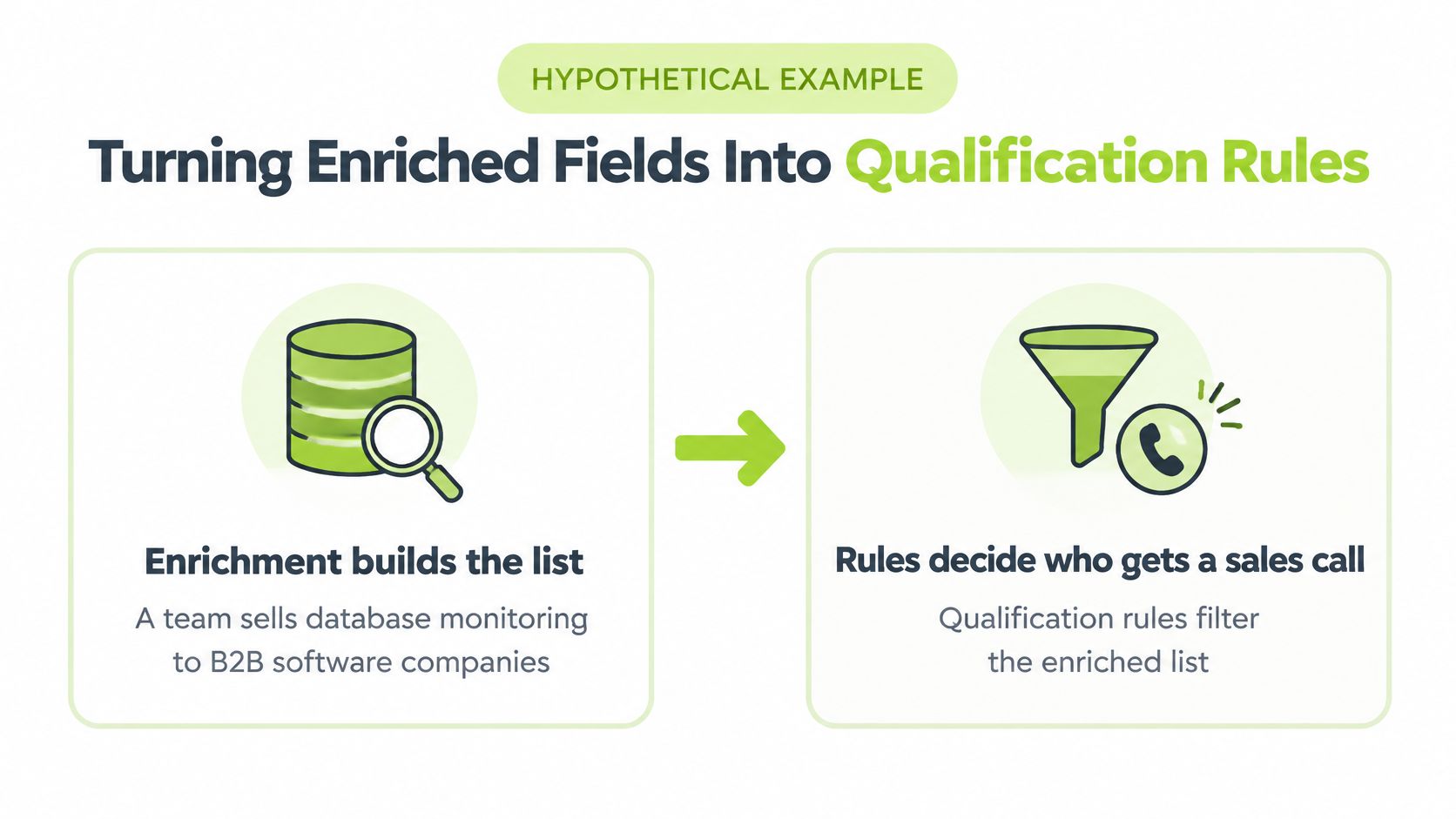
Enrichment only earns its cost when a rule consumes it. Here's a hypothetical worked example: a team sells database monitoring to B2B software companies. Enrichment builds the list. Rules decide who gets a sales call.
Five Rules for a Hypothetical Database Monitoring Offer
Rule 1, sector. The account must be classified as software. Sector is required. When it's blank, the record goes to review rather than being guessed at from the domain.
Rule 2, size. Employee count must sit between 50 and 500. Where two providers disagree, the value carrying the highest confidence score wins, and the losing value stays visible in the audit field.
Rule 3, technology. PostgreSQL should appear in the detected stack. A scan of the company's own site takes priority over provider data, because the site reflects what's running.
Rule 4, timing signal. An open database or platform engineering role supports outreach. It doesn't prove need, and it shouldn't be allowed to override rules 1 and 2 on its own.
Rule 5, exclusion. Any account that's a subsidiary of an existing customer is removed. RevOps owns that rule, because it depends on CRM data rather than external data.
How the Rules Route an Account
Scoring falls out of the rules rather than sitting on top of them. All required fields present plus at least one signal goes to a sales representative with the evidence attached. Required fields alone go into a nurture sequence. A missing required field goes to manual review, where a person can see which field failed and why.
Write every rule the same way: the field, the accepted values, the source priority, the fallback behaviour and the owner. Anyone should then be able to open an account and see why it was included, excluded or routed to a named rep. If a rule can't be explained in that format, it's a preference dressed up as logic.
The full loop runs enrich, match, qualify, route, outreach, feedback. Replies, objections and meeting outcomes go back into the rules and should trigger a review when the pattern shifts. Scoring mechanics that sit on top of those rules are covered in this explanation of lead scoring in B2B.
Before any custom build expands, H2 defines the commercial outcome, required inputs, decision rules, integrations, edge cases and ownership, which is the same discipline a qualification rule set needs.
Keeping Enriched Data Accurate and Lawful
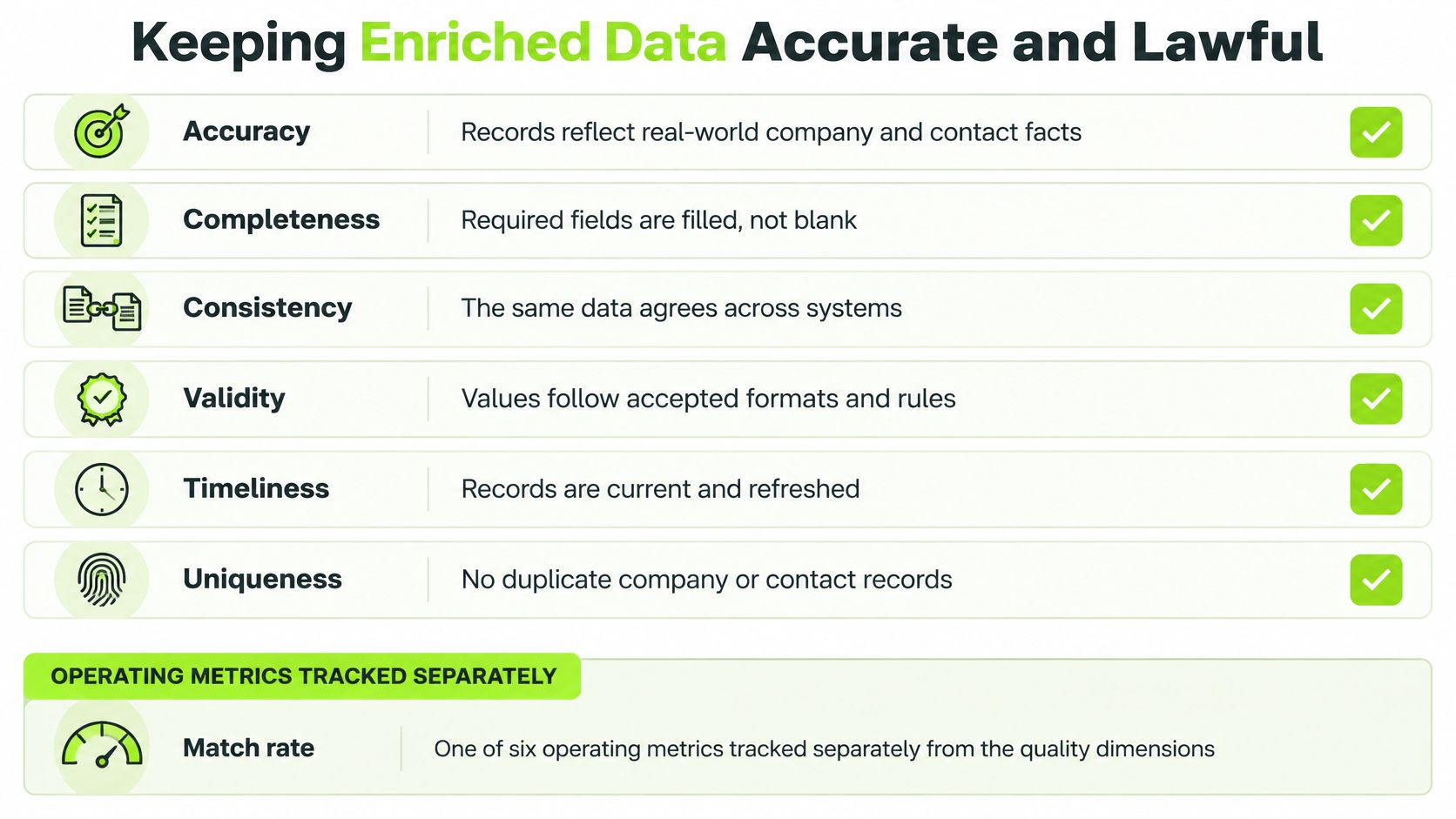
Enrichment quality is a pipeline property, not a one-time score. Six dimensions fail independently: accuracy (the value is true), completeness (the required field is filled), consistency (systems agree), validity (the value follows its format), timeliness (it's current) and uniqueness (no duplicates). A record can be complete, valid and three years out of date.
Track the operating metrics separately, because they fail for different reasons: match rate, field completeness, duplicate rate, freshness, invalid-email rate and manual-review rate. One blended "data quality score" hides which of the six is broken.
| Field | Refresh trigger | Starting interval (hypothetical) |
|---|---|---|
| Work email and deliverability | Before each campaign and after bounce spikes | Before every campaign launch |
| Job title and role | Job-change signal, bounce or reply mismatch | Every 3 months for active accounts |
| Employee count and revenue range | Funding, restructuring or large hiring change | Every 6 months for active accounts |
| Technology in use | Website or job-post change | Every 3 months for active accounts |
| Company status and domain | Domain stops resolving or registry change | Monthly check |
Those intervals are hypothetical starting points to adjust against your own market and sales cycle. The triggers matter more than the calendar: a detected job change should refresh a record the same week, not at the next quarterly sweep.
What the Law Adds
UK GDPR's accuracy principle turns several of those dimensions into obligations for personal data. Information must be accurate and, where necessary, kept up to date, and inaccurate data must be rectified or erased without delay, as the ICO's guidance on the accuracy principle sets out. Accuracy is purpose-dependent: a sector value good enough for segmentation may be nowhere near good enough to justify a personalised opening line.
Practical controls follow from that.
- Separate account fields from contact fields, and apply different rules to each.
- Give every field a source, a verification date, a confidence level and a correction route.
- Suppress a contact when verification fails rather than sending repeatedly to an uncertain address.
- Propagate corrections into the CRM, the enrichment tool, the sequencing platform and any reporting layer.
UK PECR sits alongside UK GDPR for electronic marketing. Unsolicited email to named individuals is governed by both, and the rules differ for corporate subscribers and existing customers. Take legal advice for any specific campaign rather than reading a general guide as clearance.
A working test for any signal: can you explain why this company was selected, in one sentence, to the person who'll receive the email?
Deciding Whether to Build or Outsource Enrichment
Build in-house when one person owns both the data and the rules, the market and offer are stable, and someone can monitor match rates and refresh schedules. Build when volume justifies the tooling, and when your team enjoys the maintenance.
Consider outside help when the qualification logic is custom, when several systems need connecting, or when nobody has the capacity to keep the workflow running. A system that nobody maintains decays at the same rate as the data inside it.
Whichever route you take, define six things before building: the commercial outcome, the required inputs, the decision rules, the integrations, the edge cases and the owner. Test with real records and a fallback path for every rule that can fail. H2 builds custom GTM systems covering research, qualification, enrichment and CRM routing around a client's own rules, quoted to scope, which suits teams whose logic doesn't fit a template.
Teams that want execution handed over entirely can review the fully managed outbound service. Teams weighing build against buy across tools, waterfalls and maintenance can start with this comparison of data enrichment tools. Check current scope, terms and prices on the pricing page rather than relying on figures quoted in any guide.
The last decision is the one most programmes skip. Name the single decision your enriched data has to support, write down who owns it, and delete the fields that serve nothing.
H2 builds the pipeline behind the data: enrichment, matching, qualification rules and CRM routing, designed around your market and your commercial logic. If your records are complete but your team still can't tell which accounts deserve a call this week, H2 can design the system that answers it.
