In 2024, 97% of businesses using a CRM system said they met or exceeded their sales goals over the previous year, according to Freshworks' CRM statistics. Treat that number with care. It comes from a software vendor, it counts companies that already chose to buy a CRM, and it says nothing about how well any of them run it.
The useful version of the answer is narrower. A CRM matters because it holds the shared record that decides who gets contacted, what gets forecast and which deal gets attention next. Whether that record is worth anything depends on ownership, agreed definitions and clean handoffs, not on the logo above the login box.
Core Benefits of a CRM at a Glance
A CRM gives a B2B team one shared record of accounts, contacts and deals: who owns each relationship, what has happened and what should happen next. Its six common benefits depend on data discipline. The team needs clear ownership, shared definitions and reliable handoffs for the records to support sound decisions.
| Benefit | Problem it fixes | Measure to track |
|---|---|---|
| Pipeline visibility | Deals hidden in inboxes and spreadsheets | Open pipeline value by stage |
| Clean handoffs | Leads lost between marketing, SDRs and account executives | Time from lead acceptance to first contact |
| Consistent qualification | Each rep judging fit differently | Share of leads accepted against agreed criteria |
| Automated follow-up | Follow-ups forgotten or delayed | Overdue follow-ups per rep |
| Reliable forecasting | Guesswork in monthly forecasts | Forecast accuracy against closed revenue |
| Shared memory | Account knowledge leaving with departing staff | Share of accounts with complete history |
Each measure requires consistent records. For example, pipeline value by stage is only useful if reps apply the same stage definitions and update deals under clear ownership. A dashboard can display the numbers, but it cannot correct incomplete records or inconsistent handoffs.
Salesforce Research's fifth State of Sales report, based on more than 7,700 sales professionals worldwide, found that 83% of respondents agreed their organisation was taking advantage of its CRM, while only 37% strongly agreed that the organisation fully utilised it. That is a 46-point gap between recognising value and making full use of the system (Salesforce's fifth State of Sales report).
Practical rule: choose one measure from the table and ask what number the team could report for last week. If nobody can answer, check whether the team has agreed on the definition, assigned someone to record it and built it into the handoff.
Before spending anything, score each problem from one to five, where five means it costs the team deals every month. Start with the highest scores, then define the fields and workflows needed to measure them consistently.
How Much Selling Time a CRM Gives Back
The productivity case starts with a blunt number. Salesforce Research's sixth State of Sales report, published in 2025, surveyed 5,500 sales professionals worldwide and found that representatives spend 30% of an average working week selling, compared with 28% in the 2022 edition of the same study (Salesforce State of Sales report, sixth edition).
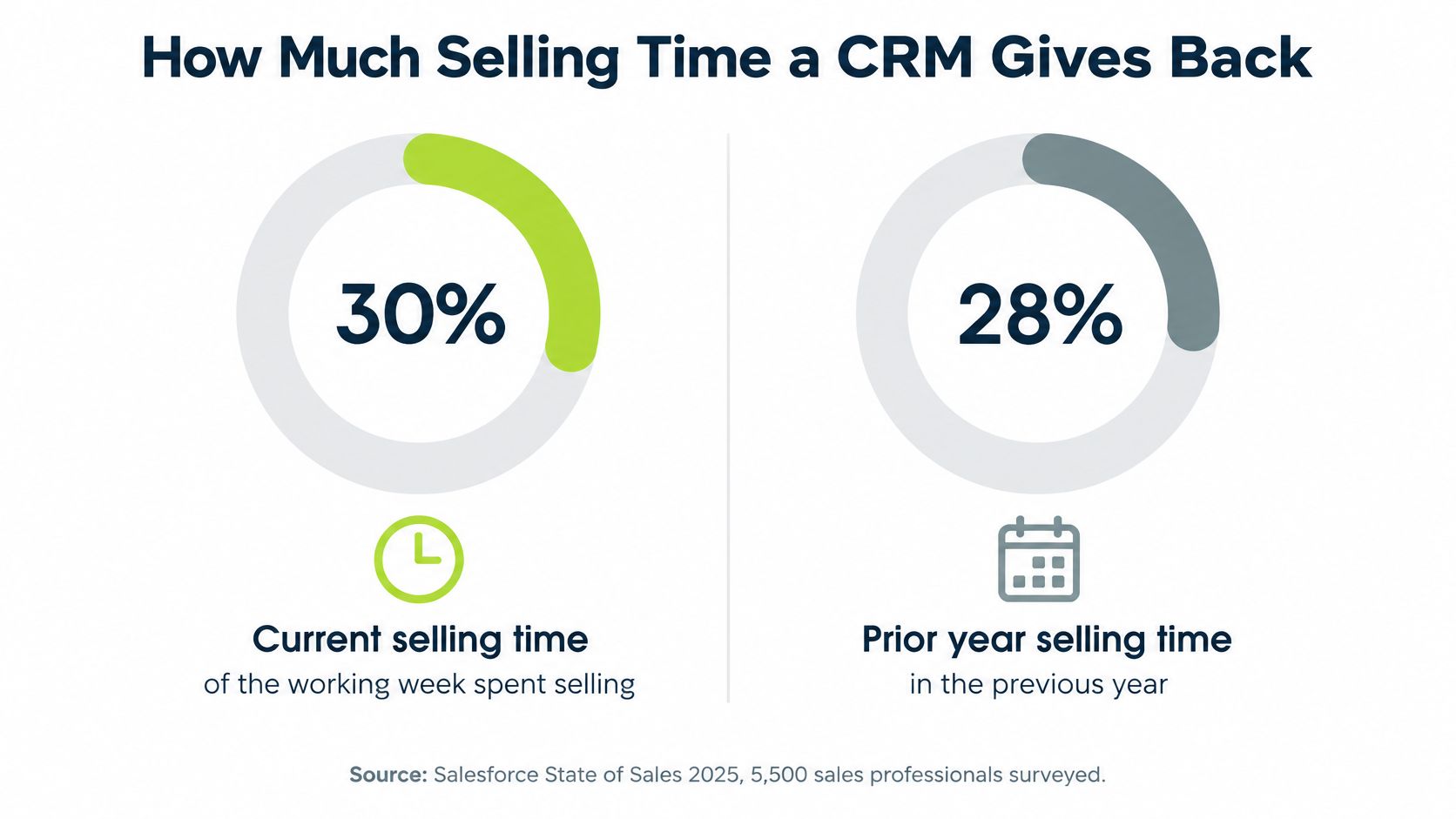
The remaining 70% goes on preparation, administration and manually entering customer or sales information. Manual data entry alone accounts for 9% of working time, which means a five-day week contains roughly half a day spent typing into systems rather than talking to buyers. Keep the two editions apart when quoting this: 28% was the earlier baseline, 30% is the current figure, and the four-point difference between them is two separate studies, not a trend line.
Where the hours go, and what a configured CRM does about each:
- Searching for account history across inboxes, spreadsheets, and a shared drive. Email and calendar sync put past threads and meetings on the contact record, so the search becomes one page.
- Re-entering meeting notes into a second and third tool. Activity capture writes the call to the account, and required fields limit the notes to what the next person needs.
- Writing call summaries from memory after the workday. Templates and structured outcomes (next step, date, objection) take two minutes instead of fifteen.
- Chasing status updates from colleagues. Task creation and stage-change rules push the update to whoever owns the next step, on the day it's due.
A worked example, hypothetical: five reps each spending half a day a week on data entry lose 2.5 rep-days every week, or 130 rep-days across a year before holidays.
That recovery depends on configuration and on people maintaining the data. A CRM left with empty fields just moves the searching somewhere else, which is why workflow automation inside a CRM only pays off once the fields behind it are worth keeping. Audit one week of a rep's calendar and inbox, note every repetitive task, and pick the top three to remove.
When Lightweight Tracking Is Enough
One person running twenty accounts does not need a CRM. A spreadsheet works, and it costs nothing beyond the time already spent in it. The case for a CRM grows with the number of people touching the same accounts, the length of the deals and the number of handoffs between them.
| Criteria | Spreadsheet or shared tracker | CRM |
|---|---|---|
| Team size | One or two people | Several people sharing accounts |
| Handoffs | Manual, by email or message | Routing rules and assigned owners |
| Reporting | Manual pivot tables | Live pipeline dashboards |
| History | Overwritten when rows change | Timestamped activity record |
| Automation | None | Task creation and workflow rules |
| Integrations | Copy and paste | Connections to email, calendar and enrichment tools |
| Cost | Low, mainly staff time | Licence, setup and admin time |
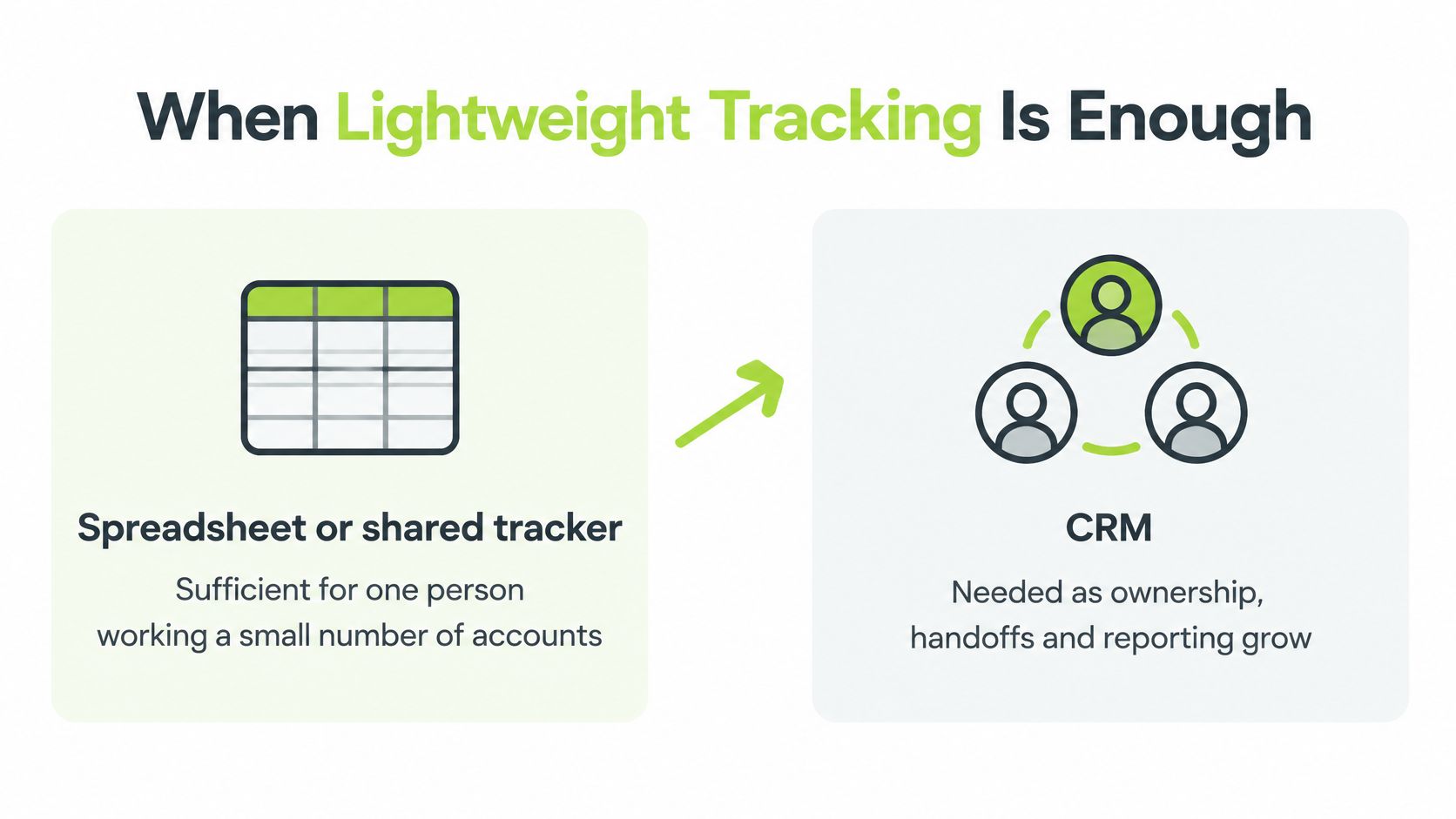
Four signs say the tracker has done its job and a CRM is due. Two or more people owe the same account a next step. Deals take months and the history of the last conversation keeps getting lost. A leader asks for a forecast and the team needs two days to build one. Follow-ups slip because nobody sees them unless they open the file.
The financial argument is often quoted badly, so here it is with its limits. Nucleus Research analysed CRM return-on-investment case studies and reported an average return of $8.71 for every dollar spent, against $5.60 in its 2011 analysis (Nucleus Research CRM ROI study). A separate summary of Nucleus Research CRM figures puts the average at $3.10 per dollar invested, with productivity and process efficiency accounting for 51% of total return across 11 case calculations from 2023. Both are averages drawn from published cases, not a promise for your business, and the spread between them shows how much the outcome depends on deployment.
A CRM costs licence fees, setup time and ongoing administration. A spreadsheet costs staff time and lost context. For a two-person sales team, the spreadsheet can be the correct choice for another year.
Pipeline Visibility and Stalled Deals
A pipeline report is only as reliable as the records behind it. Counting open deals can make a forecast look precise while hiding inconsistent stage definitions, missing qualification evidence, stale close dates or gaps in activity history.

When teams use consistent fields, they can examine conversion rates and time in stage by segment, seller and acquisition channel. Research links CRM capability with whether analytics improve sales performance. The practical point is that reporting only helps when people can trust the records and act on what they show.
A worked example, hypothetical: a deal has been in the proposal stage for 45 days, while the team's median time there is 14 days. The difference is a prompt to review the deal, not proof that it will be lost. Check the last buyer interaction, the agreed next step and whether the close date still makes sense.
A saved view can make that review quicker:
- Deals older than the typical stage time, so stalled opportunities are visible without a manual export.
- Conversion rate by lead source, to compare how sources perform through the pipeline.
- Common loss reasons, to identify where qualification or messaging may need attention.
For a leadership-level view of coverage and stage ageing, see this guide to pipeline visibility for CROs. Those reports depend on stages that mean the same thing across the team. Building a pipeline in a CRM starts with defining those stages and the evidence needed to move a deal between them.
When enrichment tools or AI classifications update a CRM record, retain the source, timestamp and confidence. Without that context, a classification is difficult to check and risky to use in a decision.
Set one definition for each pipeline stage, then use it consistently in reviews and reports.
Shared Definitions and Data Ownership
A CRM gives marketing and sales one shared record of accounts, contacts and opportunities. Alignment only holds when both teams agree on the rules behind that record. HubSpot reports that 78% of salespeople consider their CRM effective in improving sales and marketing alignment, a vendor-run survey figure worth reading as sentiment rather than proof (HubSpot marketing statistics).
Four definitions to write down
Agree these in a document that lives next to the CRM, not in someone's head.
- Qualified lead: the criteria a lead must meet before a rep gives it time, expressed as fields that can be checked.
- Active opportunity: what triggers creation of a deal record, and what date drives the next step.
- Disqualified account: why an account is out, with a reason code, so nobody re-adds it next quarter.
- Closed-lost reason: a short fixed list, chosen so the numbers can be counted.
Keep required fields to information people can maintain accurately. Five fields filled in every time beat twenty that are half complete.
One lead, three owners
Follow a single lead through the system. Marketing logs a campaign response and the qualification data it captured. An SDR adds discovery notes and the objections raised on the first call. An account executive opens the account and sees the whole sequence, including what the buyer already said no to. Nothing is re-asked, and the handoff is auditable.
Without that record, the same lead sits in three inboxes and two spreadsheets, and ownership is decided by who replies first.
Who owns quality after launch
Most CRM programmes fail without notice. Research involving 602 CRM users and stakeholders found that 76% believed less than half of their organisation's CRM data was accurate and complete, while 34% did not know who was responsible for data accuracy (analysis of why CRM implementations fail). A CRM in that state doesn't just underperform. It makes decisions worse, because leaders get clean-looking dashboards built on unreliable records and stop questioning them.
Bad records show up as duplicated outreach, missed follow-ups, unreliable forecasts and wasted spend on enrichment or advertising against the wrong accounts.
The uncomfortable question: after go-live, who fixes an incomplete record, and by when?
Five minimum rules close most of that gap:
- Name an owner per record type. Accounts belong to someone. So do contacts, leads and opportunities, including the disqualified ones.
- Define every field in writing, with an example value, and delete fields nobody uses.
- Validate required values at the point of entry, so a stage change can't skip the evidence behind it.
- Run duplicate checks on a fixed schedule, matched on domain and email, not company name alone.
- Set a correction route for ambiguous records, with a named reviewer and a weekly slot.
The maintenance rhythm matters as much as the rules. For CIDT, H2 set up a shared workflow and weekly review cadence and managed outbound as part of CIDT's sales process, which puts a recurring slot in the calendar instead of relying on goodwill. A sound approach to data engineering practices behind the CRM, including matching logic and field standards, is what makes those five rules enforceable rather than aspirational.
A worked example, hypothetical: two outbound sequences contact the same buyer because the person exists as two contacts on two domains. The buyer receives two emails in one week that don't acknowledge each other, and replies to neither.
Open ten accounts at random and count how many have an owner, a next step, a dated last activity and a source. That count reflects the state of the CRM.
Measuring Outbound Results Inside Your CRM
Outbound produces more than meetings. It produces contacts, replies, objections and reasons a buyer said not yet, and all of it belongs in the same record set. If a campaign's results live in a sequencer dashboard while the deal lives in the CRM, nobody can connect the two, and the next campaign repeats the same mistakes.
For each reply, log four things: the account and contact it came from, the reply category (interested, not now, wrong person, objection, unsubscribe), the objection in the buyer's own words where there is one, and the next step with its date. A reply with no dated next step is not a result, it's a message.
Judge the programme on qualified meetings and the opportunities they create. Sends, open rates and reply rates diagnose problems, but they don't demonstrate value. A 4% reply rate that produces one qualified meeting can be worth more than a 12% rate full of "not interested", and only the CRM can tell you which is which.
Teams without outbound capacity sometimes hand the whole motion to a managed programme. H2's Fully Managed Outbound service records conversations and next steps in the client's own CRM, so fields, owners and lifecycle stages need to be ready before the first campaign launches. For CIDT, qualified meeting invitations arrived throughout the week, with lead details and context added to the CRM.
One question to answer from the CRM today: how many outbound replies last month reached a recorded next step with a date?
Choosing the Next Step
Start with the decision the CRM needs to support. Should a rep call a lead, should a manager include an opportunity in this month's forecast, or should the team pause work on an account? Clear answers help you decide which fields and workflows the CRM needs.
Then check how the team uses the system. Identify who works on each account and who owns the next action. Review a small sample of records for an owner, a next step, recent activity and a source. Note which fields are missing or applied inconsistently, then track where repetitive work consumes time.
Match the fix to the problem. A workflow bottleneck may call for a custom GTM system that connects research, enrichment and CRM routing. H2 can work with your existing CRM and data providers, connect specialist tools, or build a small custom component where an off-the-shelf product falls short. Custom system builds are scoped to the client's requirements and quoted accordingly.
If your team needs more outbound capacity, managed outbound covers research, campaign testing, reply handling and meeting booking, with conversations and next steps recorded in your CRM. If your team has the tools but needs practical training, a private GTM workshop can address your market and live commercial questions. For a separate view of software licence costs, browse discounted Salesforce CRM plans.
Choose the next step by naming the decision the CRM should improve, the information needed to make it and the person responsible for keeping that information current. That discipline is what turns a CRM from a contact store into a useful part of the sales process.
